
A program of my own
Management software for van sales
The business that asked for it uses it: it makes its own products and distributes them through van sales, from its own vans and through resellers. It can be adapted to whatever you sell, and for different management software it is still a place to start.
In useThe guided tour
A day, from the morning load to the evening.
Or the screens, or everything it does.
In van sales the van leaves loaded and without orders, and the driver sells on the spot whatever each customer asks for. Here is one day, hour by hour: on the driver's phone and on the computer, in the office.
The driver, on the phone
-
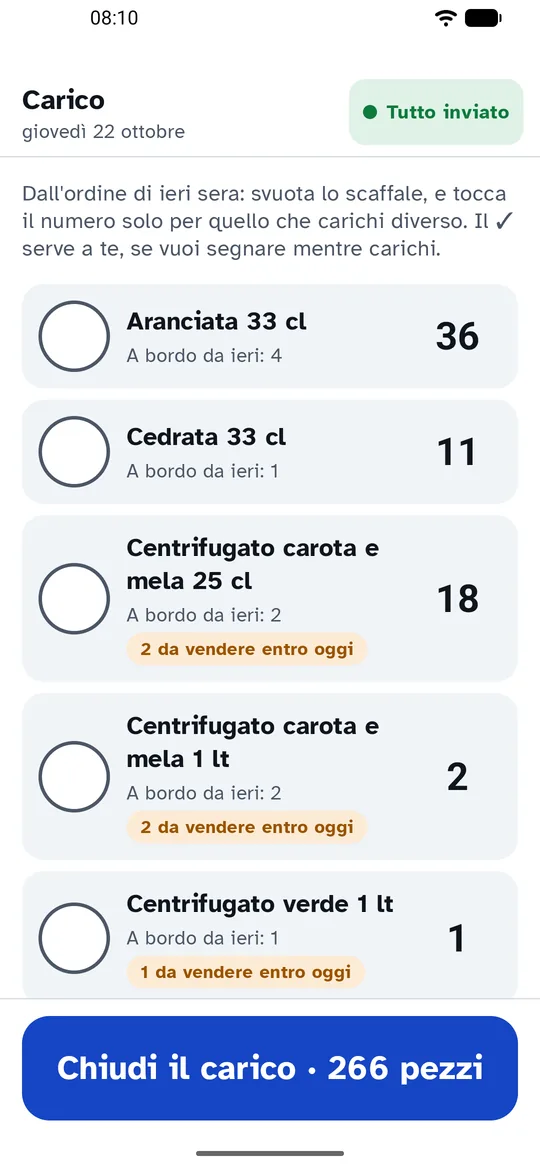
The load is already ready.
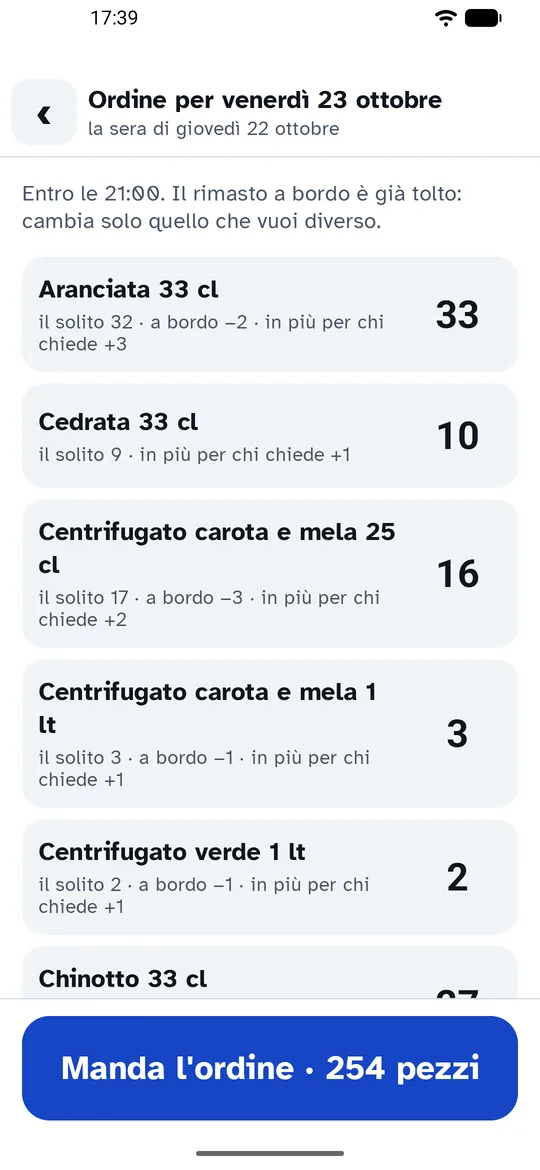
The driver finds the load written out from the previous evening's order, with what was left on board. They only touch what they load differently.
Usually The load is prepared on a sheet of paper, and counted by hand.
-
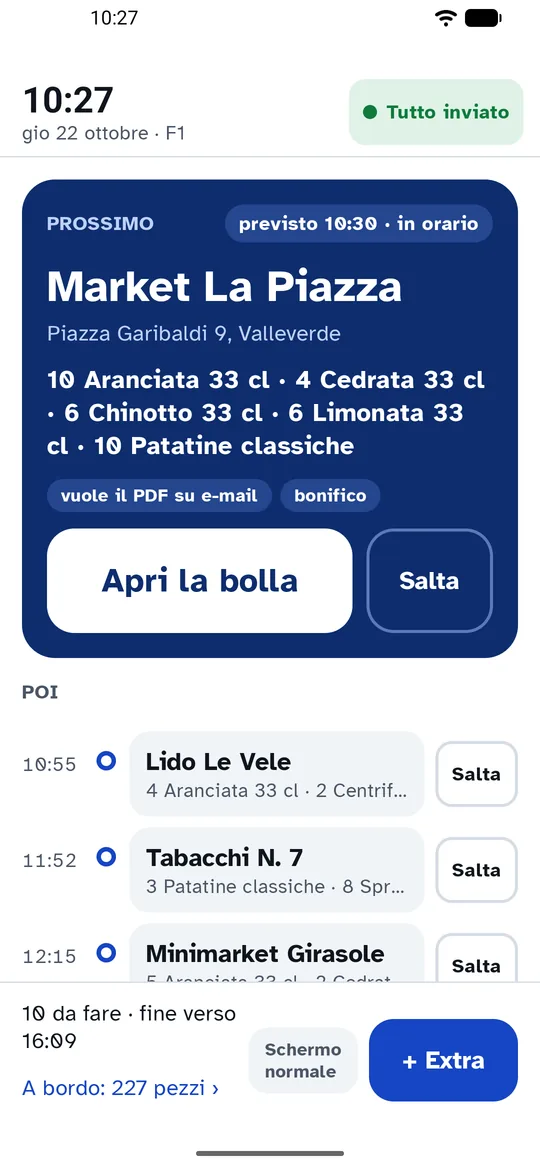
The next customer is already there.
From the history of the routes the program predicts the next customer, with the time and the delivery already written out. The delivery note opens with one tap, and only what has changed needs correcting.
Usually There is no order to start from: the driver looks up the customer and writes the delivery note line by line, from scratch every time.
-
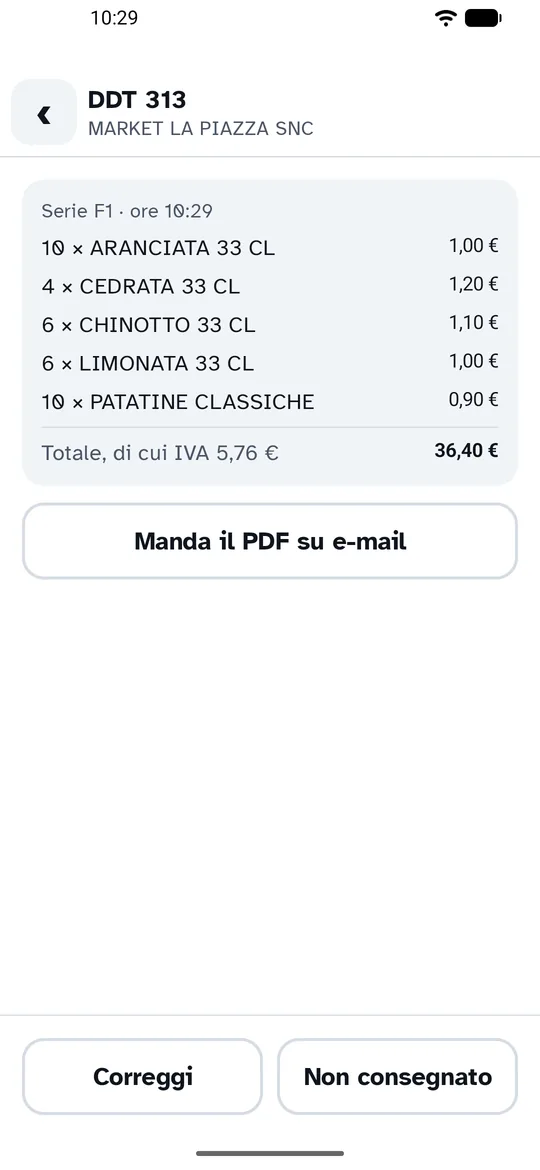
The document goes out straight away.
The delivery note comes out numbered, and goes to the customer as a PDF on WhatsApp or by email. The office sees it at the same moment.
-
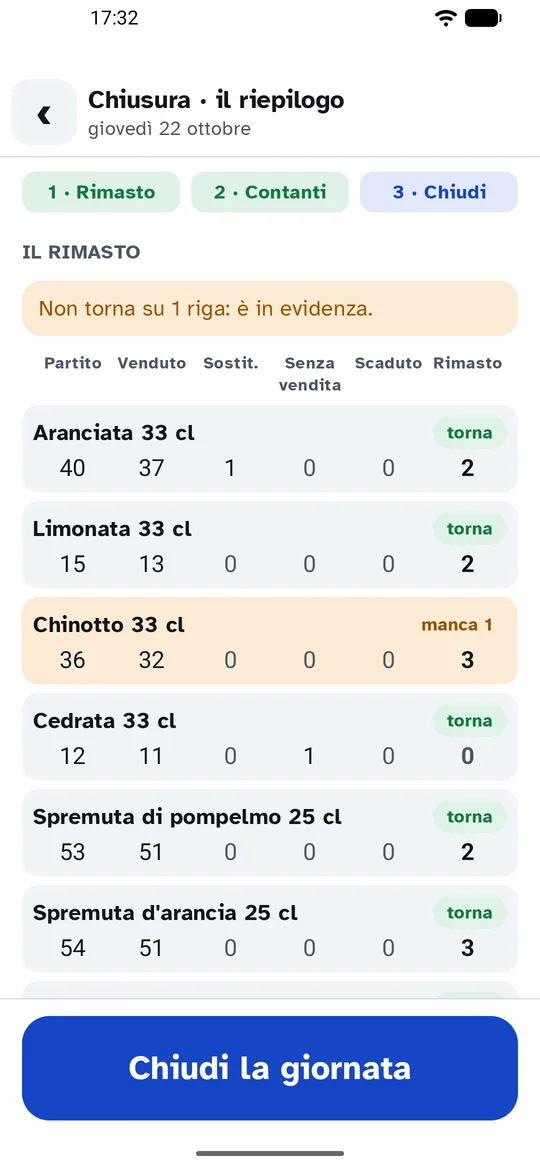
The evening adds up, line by line.
What left in the morning has to add up, item by item, across sold, replaced, without a sale, expired and left over. If it does not, you see straight away on which line.
Usually At the end of the day the total gets checked, and if it does not add up, someone has to find out where.
-
Tomorrow's order writes itself.
It is already suggested, allowing for what is left on board: the program knows, because it closed the day with the driver. Only what you want different needs changing.
Usually Tomorrow's load is ordered by counting by hand what is left on board.
The office and the resellers, on the computer
-
In the morning
At the end of a period, the invoices are already prepared.
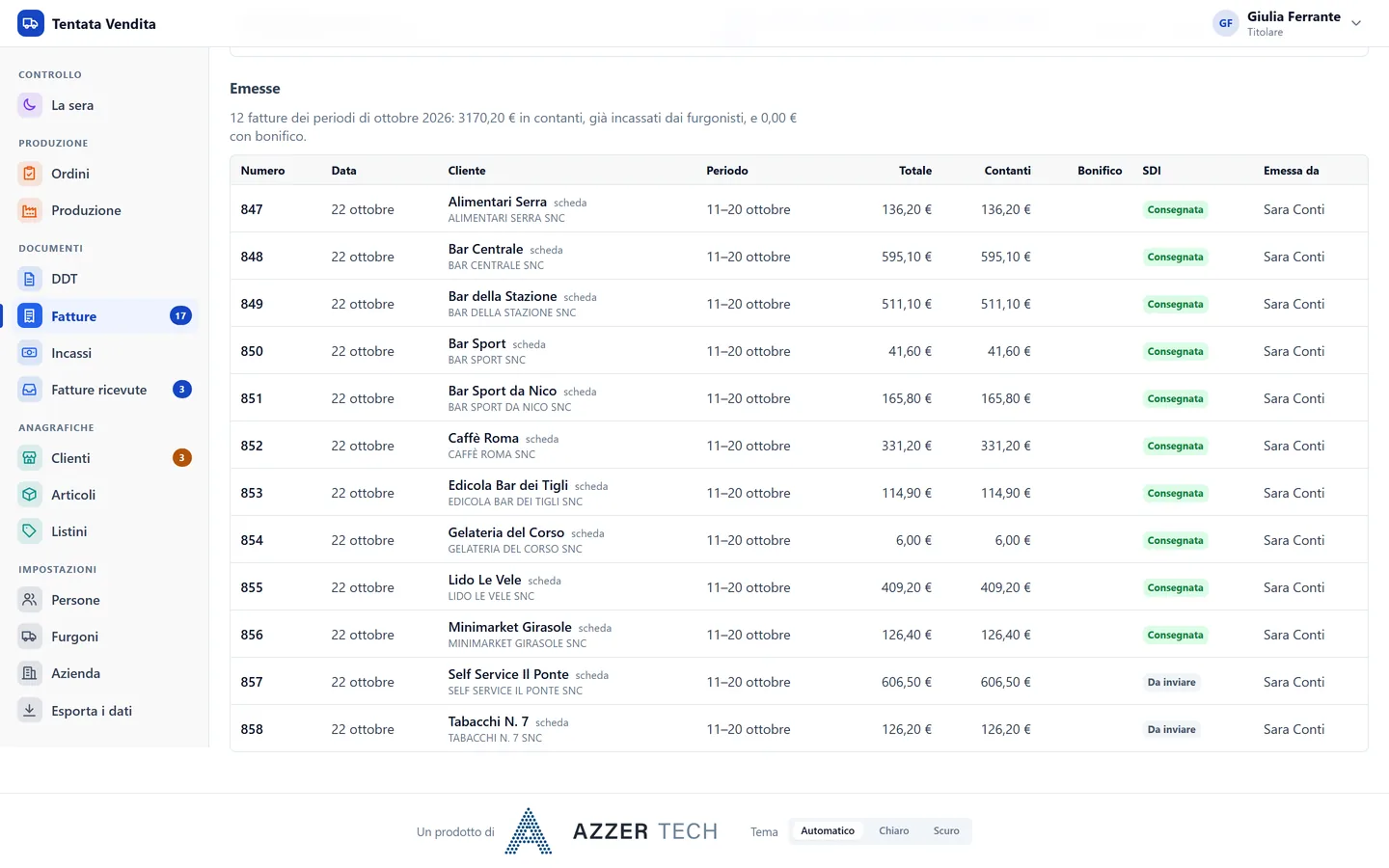
At each customer's own frequency, they are drawn up from the delivery notes, with nothing to copy out. The office checks and issues them, they go out through SDI, Italy's e-invoicing system, and the outcome comes back next to each one.
-
All day
Supplier invoices arrive on their own.
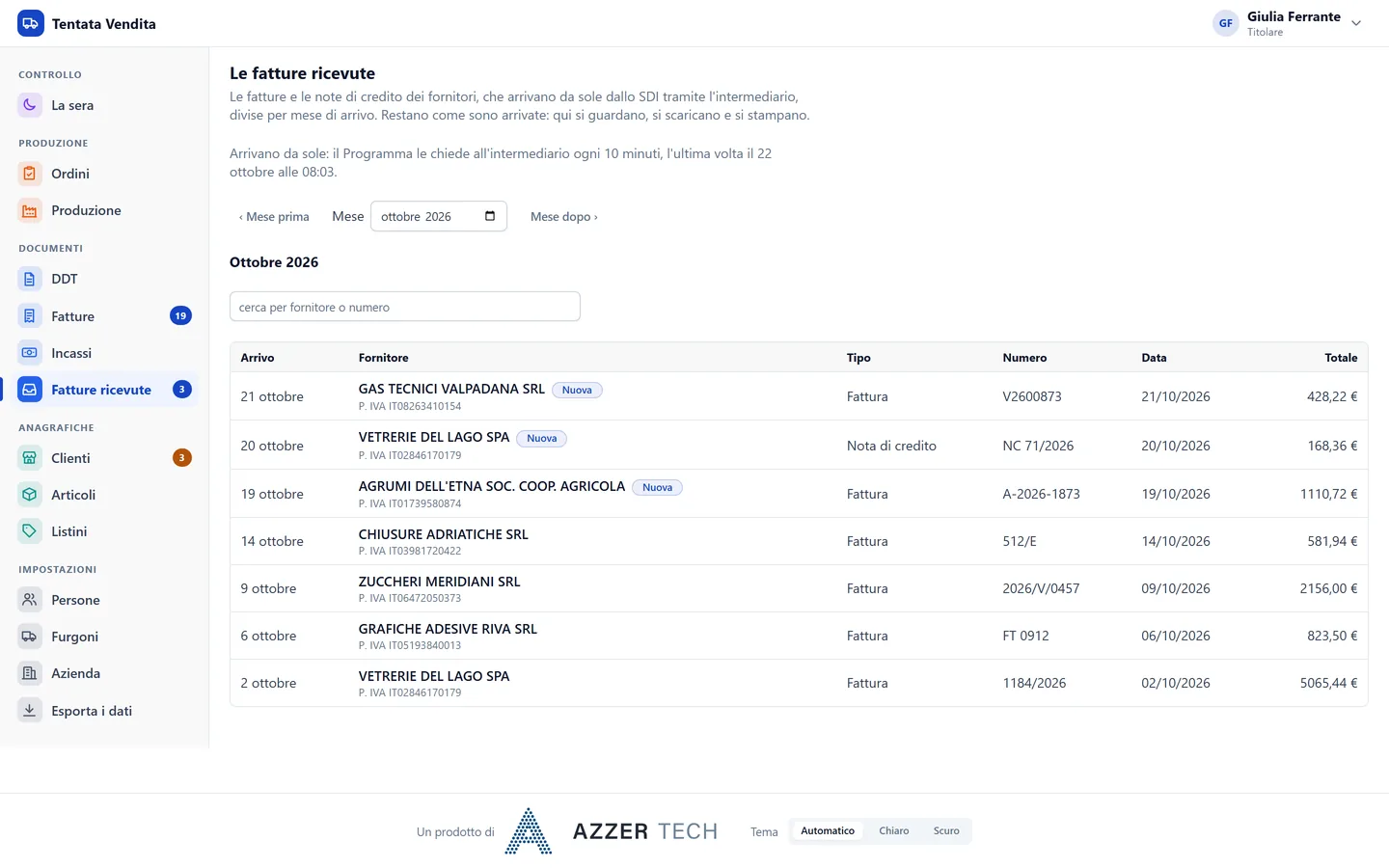
They come in from SDI into the same program, by month, with the new ones marked: they are viewed, downloaded and printed from there.
-
During the round
Documents arrive as the deliveries are made.
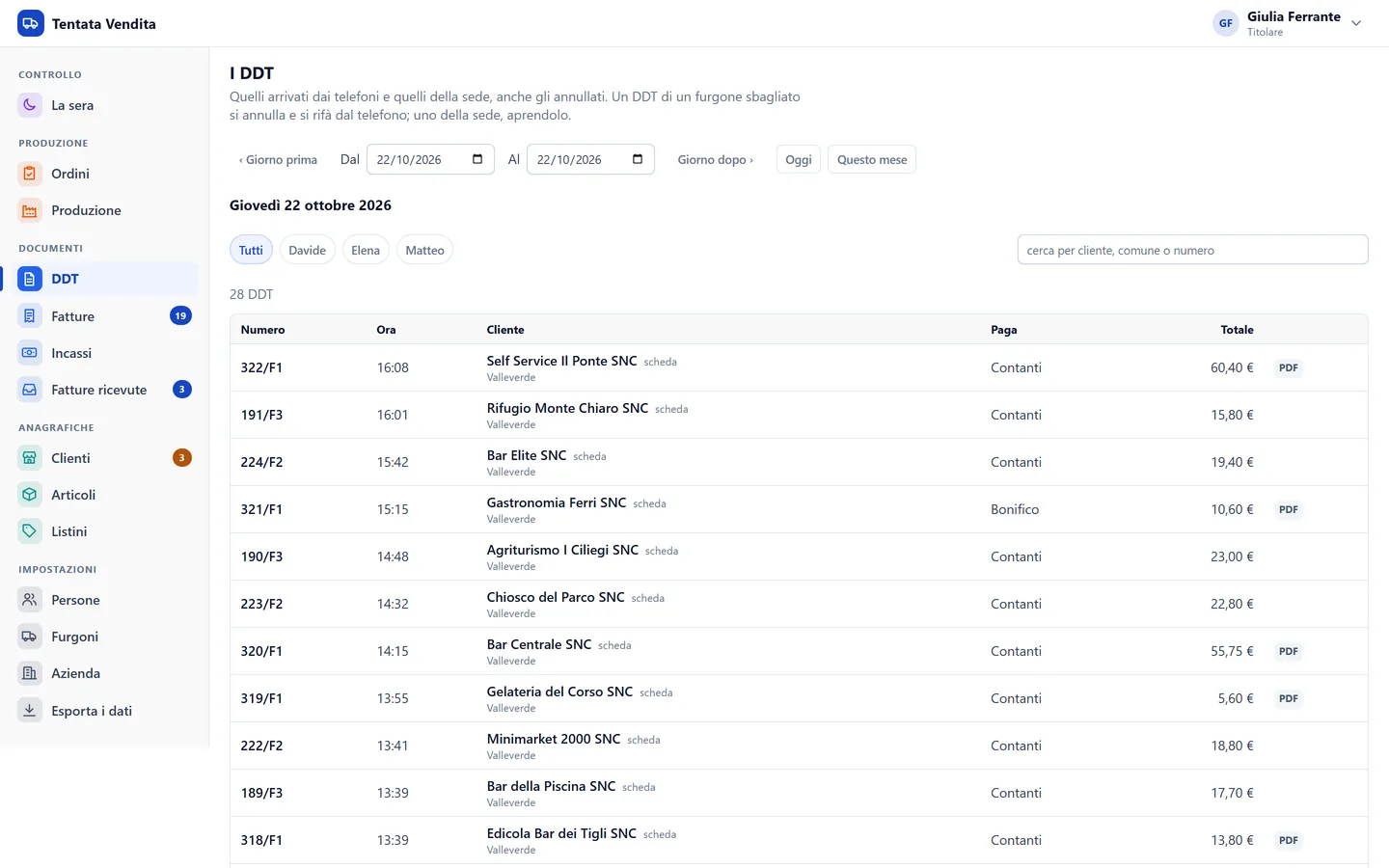
Every delivery note a van issues reaches the office at the same moment, with its PDF: every van's notes, in a single list. There is nothing to copy out.
-
Each van's evening.
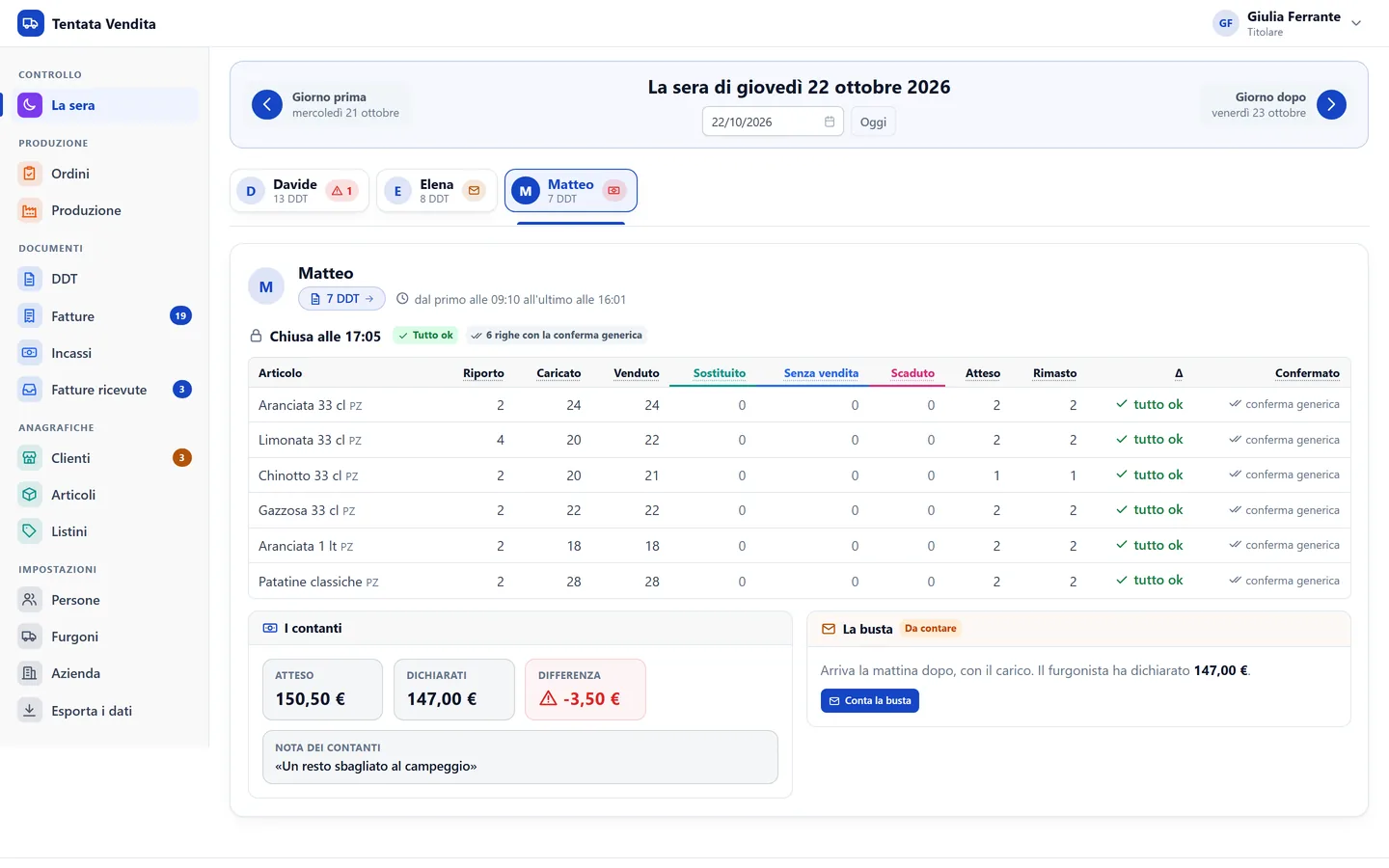
The owner sees each van's evening, with the cash expected and the cash declared. If a line does not add up, it shows straight away, along with who corrected it.
-
For tomorrow
Orders arrive already added up.
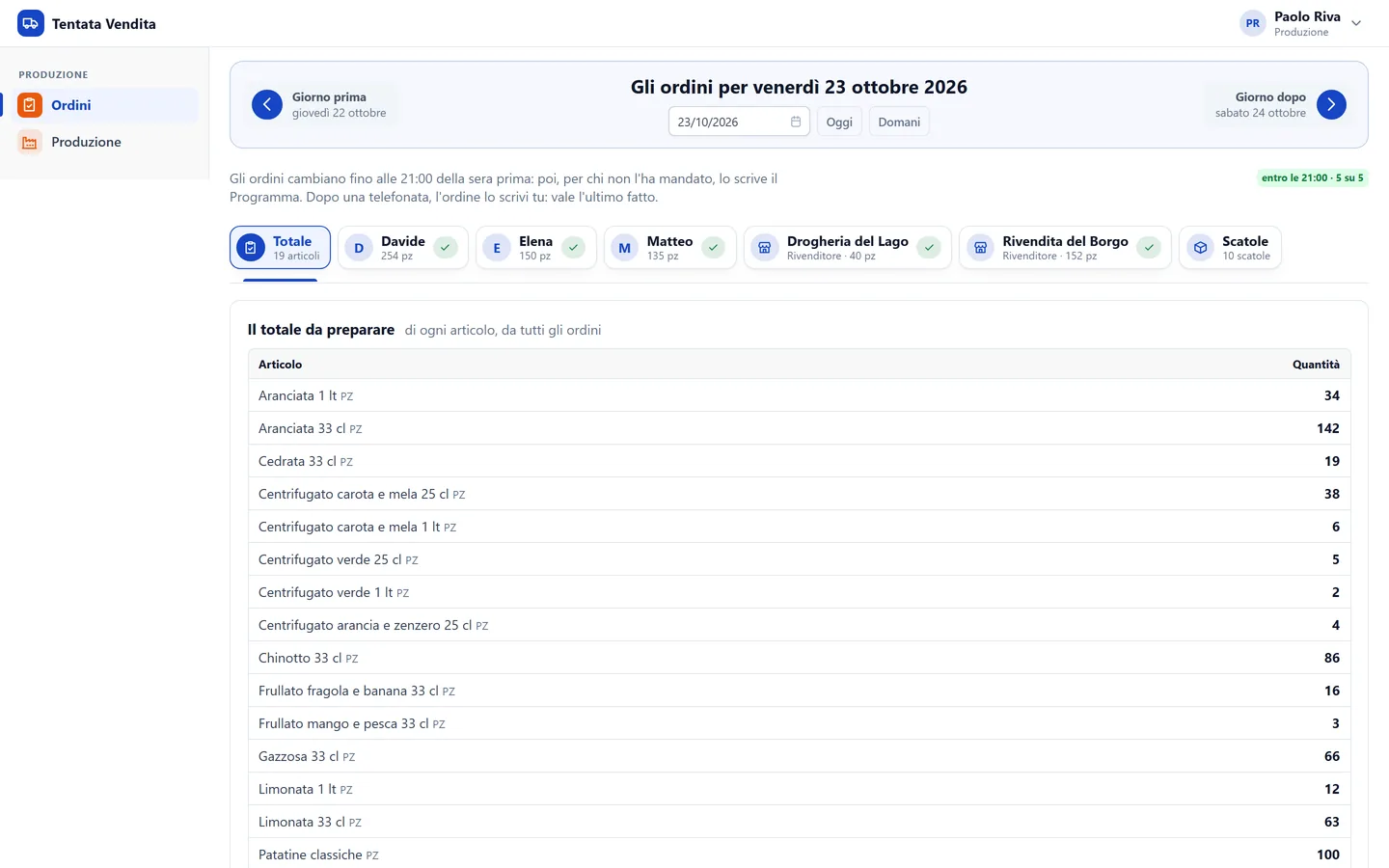
Production finds the drivers' and the resellers' orders already added up, item by item, even when one pack holds several products or the same product is sold in several formats.
Usually There is a single list of items for selling and for making, and working one out from the other is done by hand.
-
Until
Resellers order on their own.
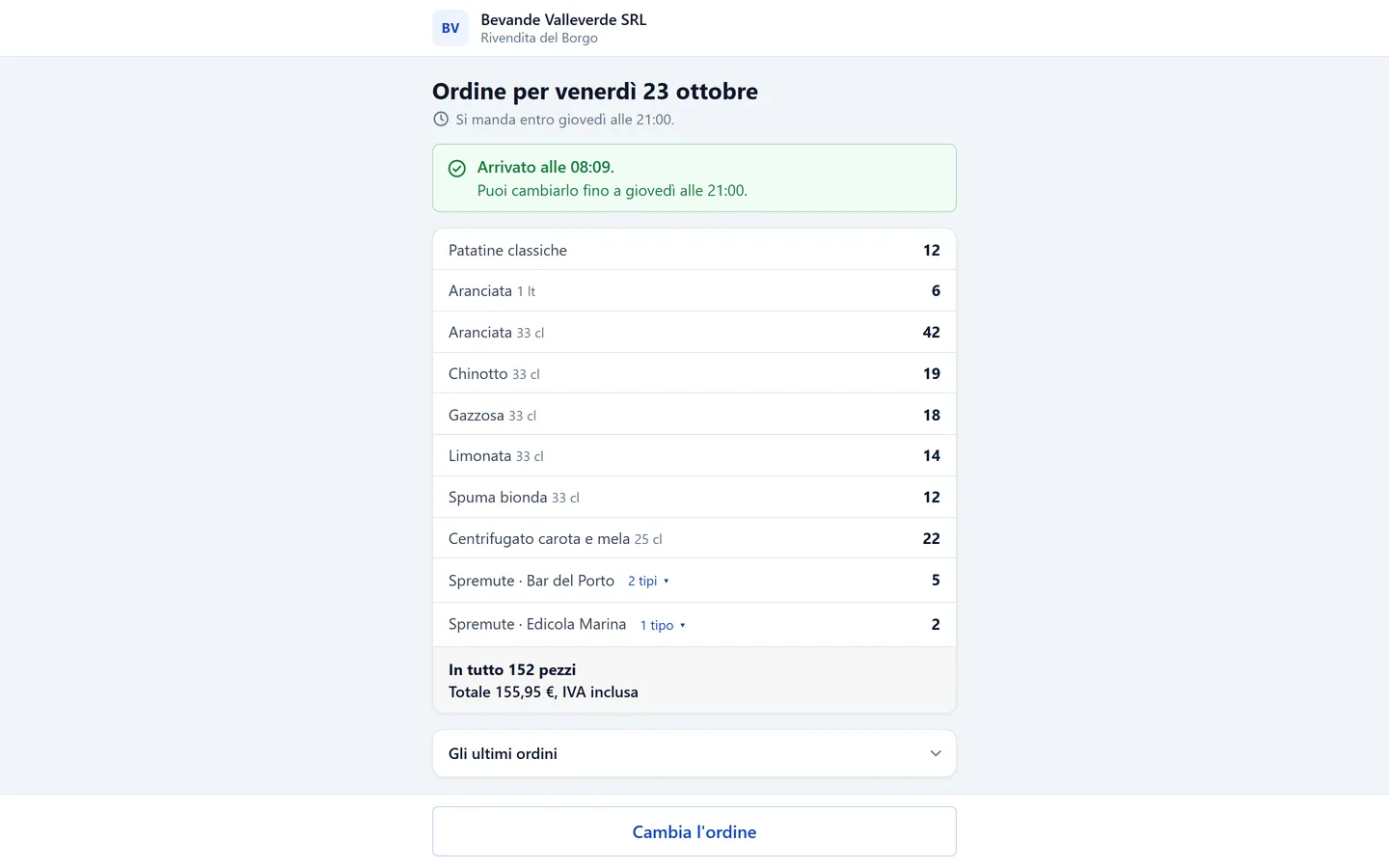
From a web page, without installing anything, starting from a suggestion if they want one. The order can be changed until the evening before.
It is built this way because that is what was needed, and the same goes for you: it changes until it follows the way you work.
The screens
The program as it is.
On the driver's phone and on the computer, in the office and at the resellers'. The data is made up: the real data stays with the business.
Or the guided tour, or everything it does.
The driver, on the phone
-
The driver's day: the next customer with the delivery already written out, and after them the rest of the route, with the times. -
The morning load, ready from the previous evening's order. 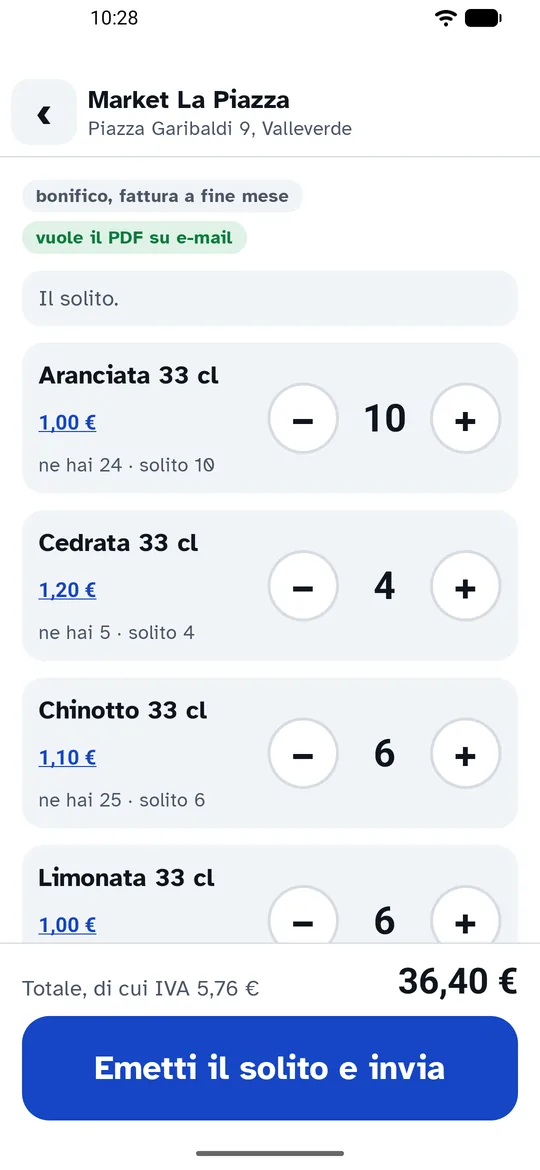
The next customer's delivery note, with the usual already written and the stock on board alongside. -
The delivery note, ready to send by email. 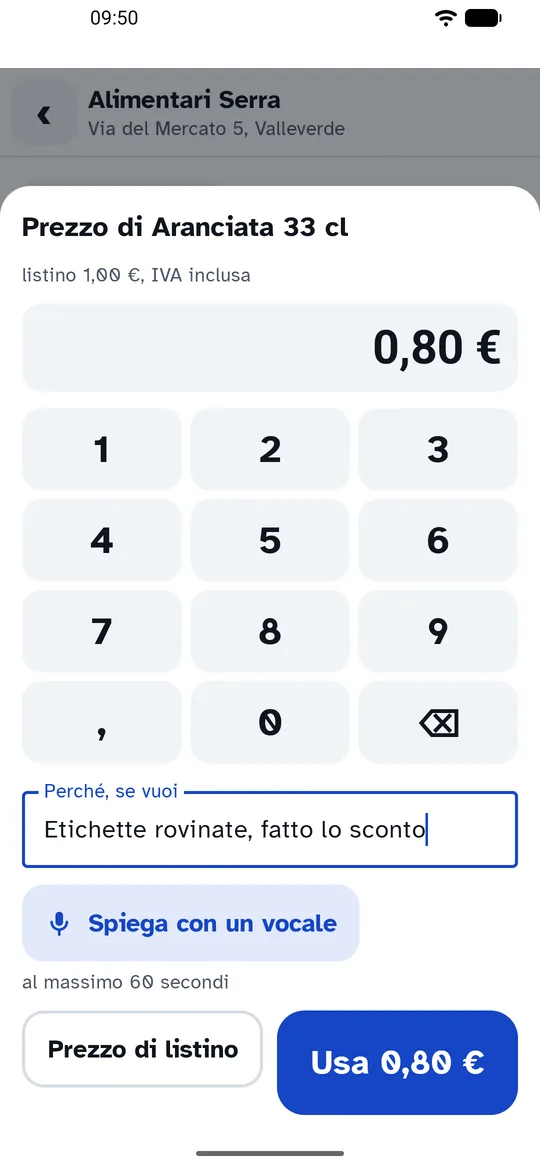
A price off the list is set on the spot, with the reason typed or recorded as a voice message. 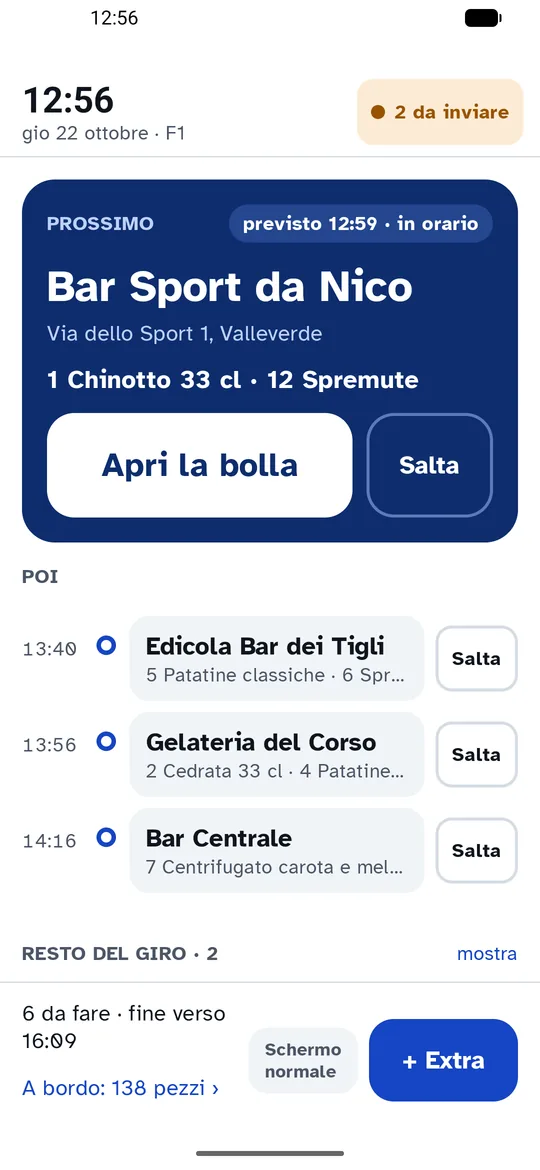
With no signal, work carries on: at the top, what is still waiting to be sent. 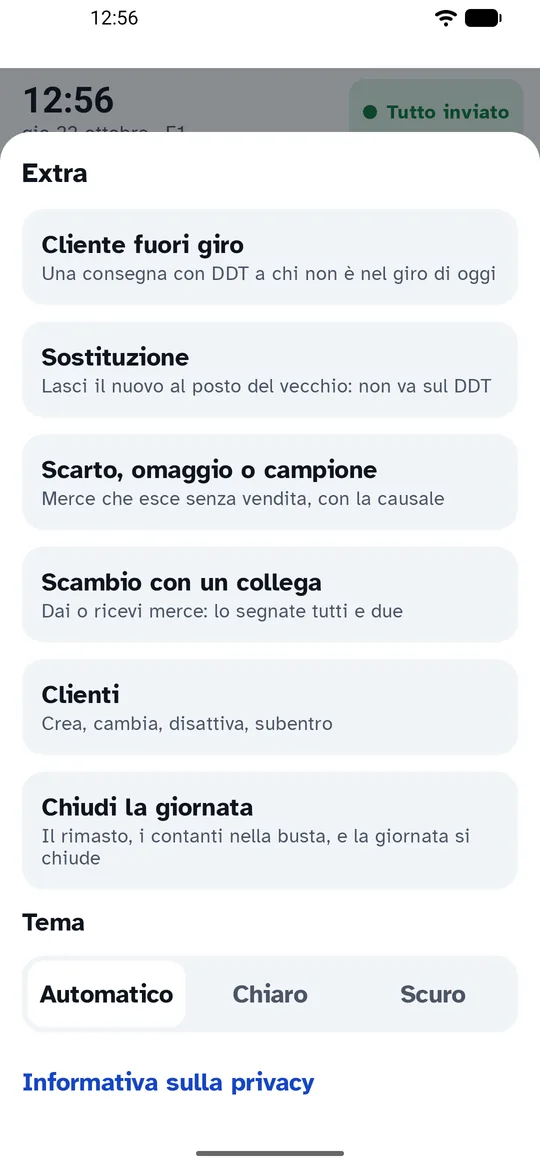
Everything that is not a delivery: an off-route customer, a replacement, a free sample, a swap with a colleague. -
The evening, item by item: whatever does not add up shows straight away. -
Tomorrow's order suggests itself: the usual, minus what is left on board.
The office and the resellers, on the computer
-
The owner's evening: every section of the program on the left, and on the right each van with its items and the cash, expected and declared. 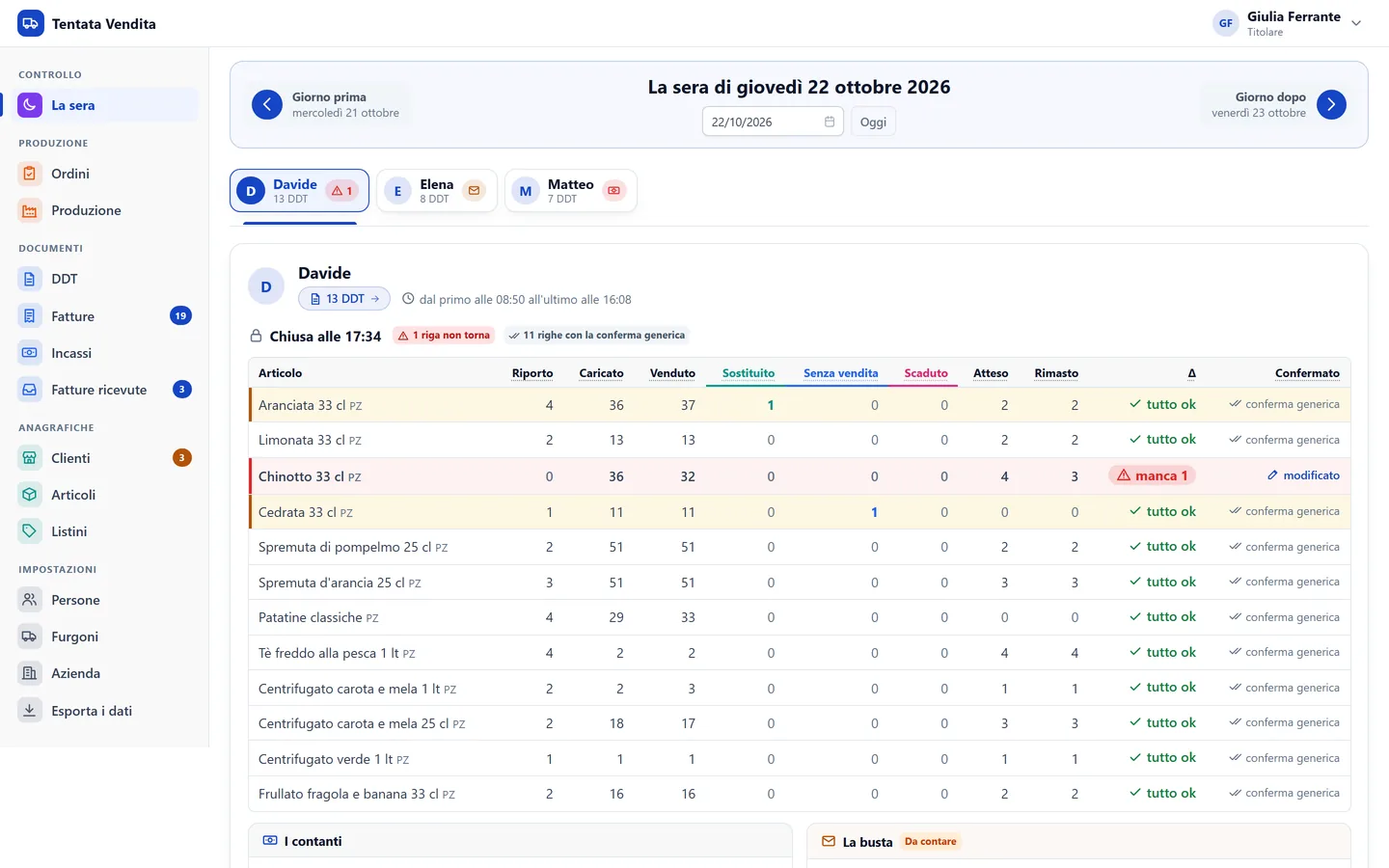
The line that does not add up shows straight away, and so does who corrected it. 
The price lists: the base one, and those for customers, drivers and resellers, each with only the prices that differ. 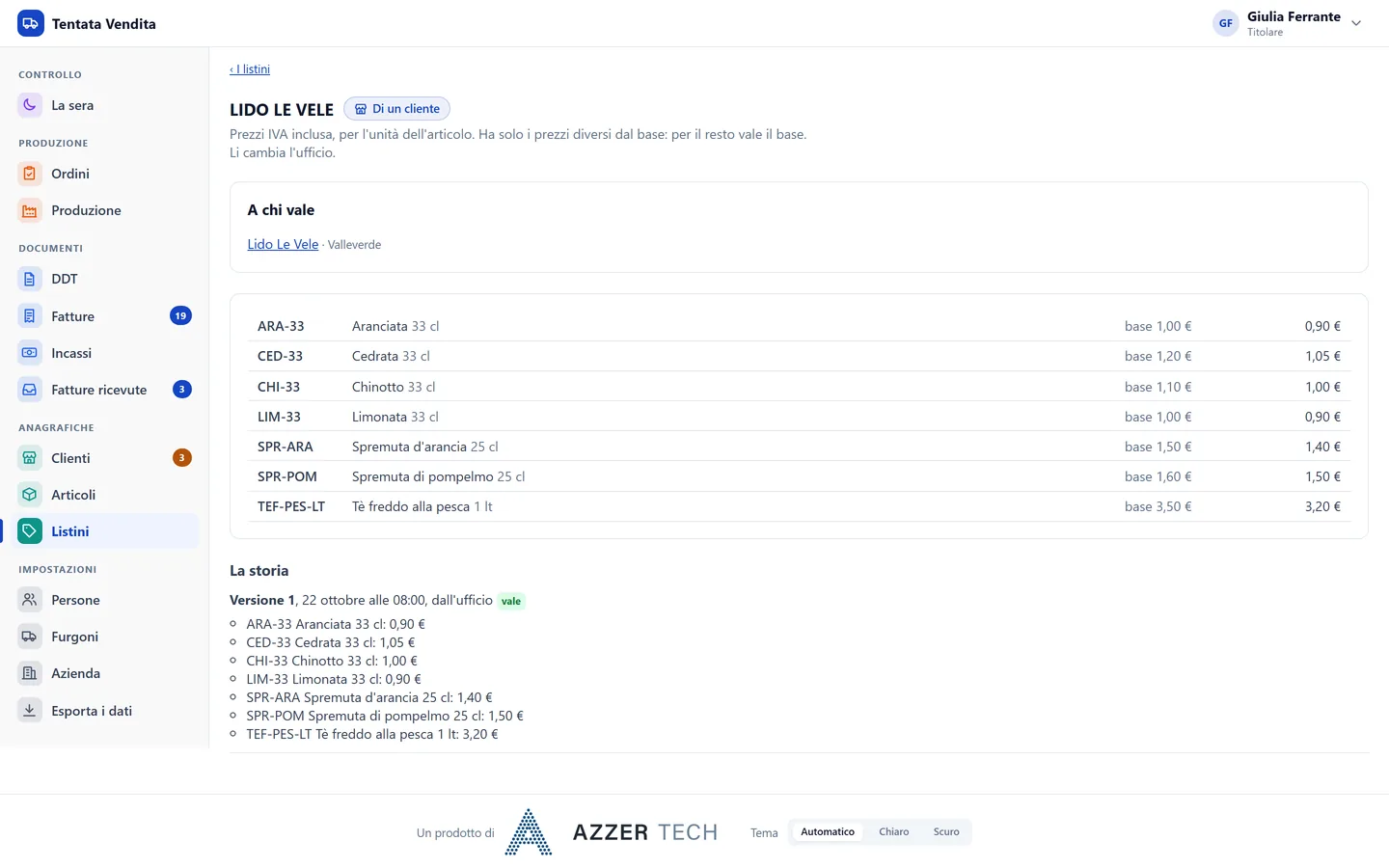
A customer's price list: only the prices that differ from the base one, and its history. -
Tomorrow's orders, already added up for production. -
Every delivery note of the day, from all three vans, with the PDF. -
The period's invoices, drawn up from the delivery notes: next to each one, the outcome from SDI. -
Supplier invoices arrive on their own from SDI: here they are viewed, downloaded and printed. 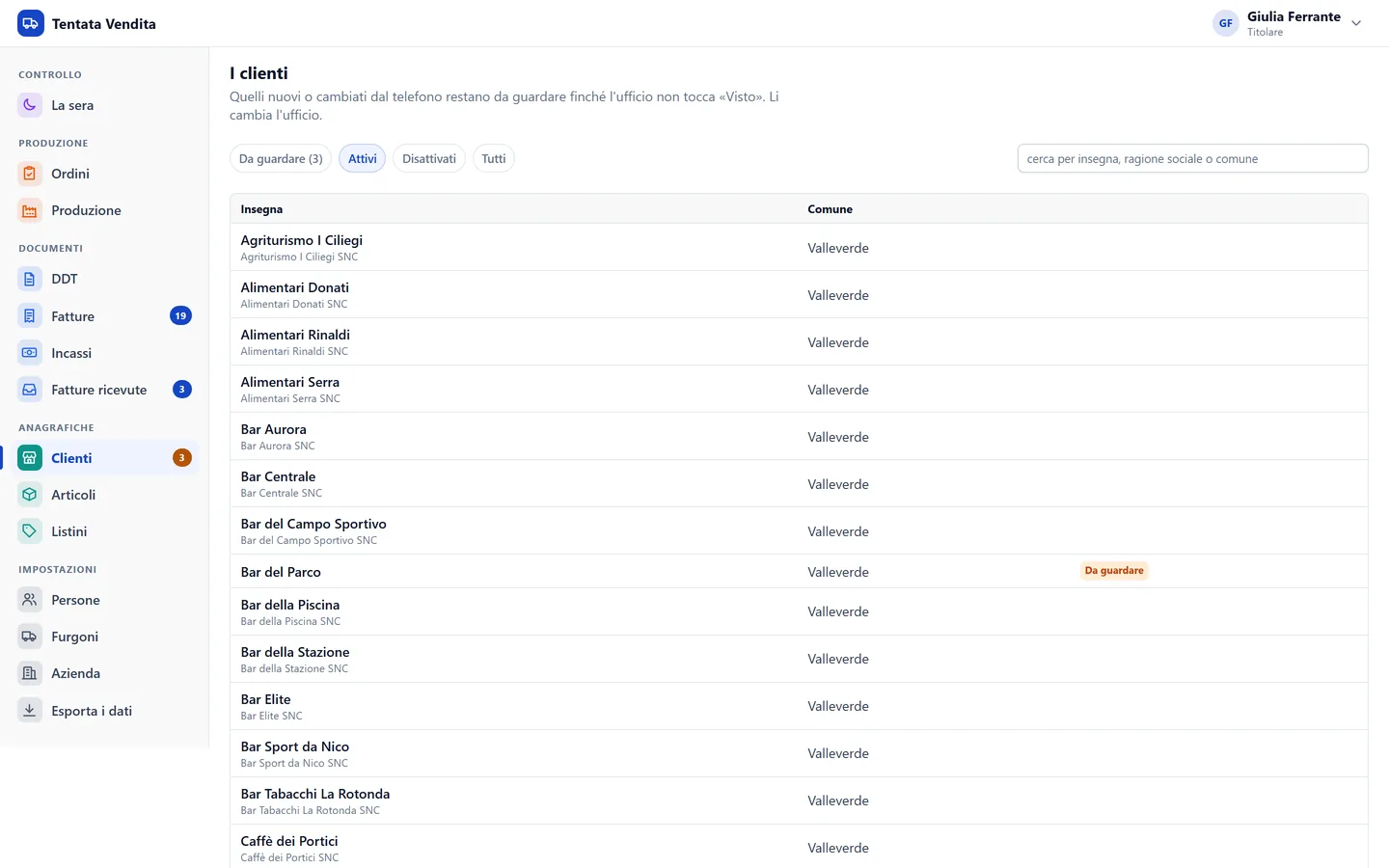
The customers: new ones, or ones changed from the phone, stay flagged until the office has seen them. -
The reseller's page: they order on their own, and can change the order until the evening before.
-
Two apps, one program.
An Android app for the drivers, on their own phone or a company tablet, that works even with no signal. A web app for the rest of the business: the office, production, the owner. Resellers order from a web page, without installing anything. Price lists, orders, documents and invoices all live in one place: whatever happens on a van, the rest of the business sees straight away, and the other way round.
-
Each sale comes already drafted.
The program learns from the history of the routes: who gets served, in what order, at what time, what they usually take on that day of the week, and what pays. From there it predicts the next customer and fills in their delivery note: when the driver pulls up, one tap opens it, the delivery is already written out, and only what has changed needs correcting.
-
Customers, items and prices as they really are.
Every customer has their own price list (you only write down where it differs from the base one), their delivery days, their place on the route, the way they get their documents, and how often they are invoiced. Items are told apart into what is made in-house, what is assembled and what is bought in to resell, each with its own packaging and its own VAT rate. A price off the list is possible, but it has to be justified on the spot, even with a voice message the owner listens to whenever they like.
-
Orders from drivers, and from resellers.
In the evening, tomorrow's order is already suggested. For a driver it already allows for what is left on the van, because the program knows: it closed the day with them. Resellers can start from a suggestion too, if they want one, but the program does not keep their stock: they know it themselves. Orders reach production already added up, with a suggestion of how much extra to make, by a rule the owner decides.
-
The day closed, line by line.
Every delivery has its delivery note, made at the customer's in a few taps and sent as a PDF on WhatsApp or by email. In the evening, what left in the morning has to add up, item by item, across sold, replaced, without a sale, expired and left over: if it does not, you see straight away on which line. The owner has the picture for every van and every product, the cash expected next to the cash the driver declared, and a log of who did what.
-
E-invoicing, outgoing and incoming.
At the end of each period, at each customer's own frequency, the invoices are already prepared from the delivery notes, with nothing to copy out. The office checks and issues them, and they go out on their own through SDI, Italy's e-invoicing system; the outcomes come back into the program, and a rejected invoice is corrected and resent from there. Immediate invoices and credit notes are there too. Supplier invoices arrive on their own in the same program, to view, download and print.
Tell me about your situation.
What wastes most of your time, what costs you every month, or what you would like to bring into existence. The first contact is free, and it is there to work out whether the problem can be addressed: it is not a sales pitch, and if this is not the right fit I say so straight away.
I reply within two working days.